
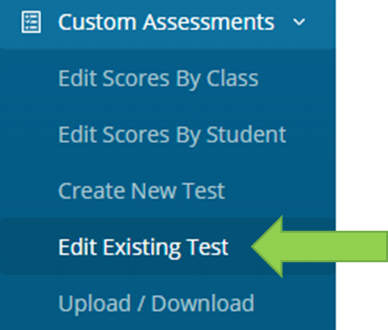
Select Custom Assessment > Edit Existing Test
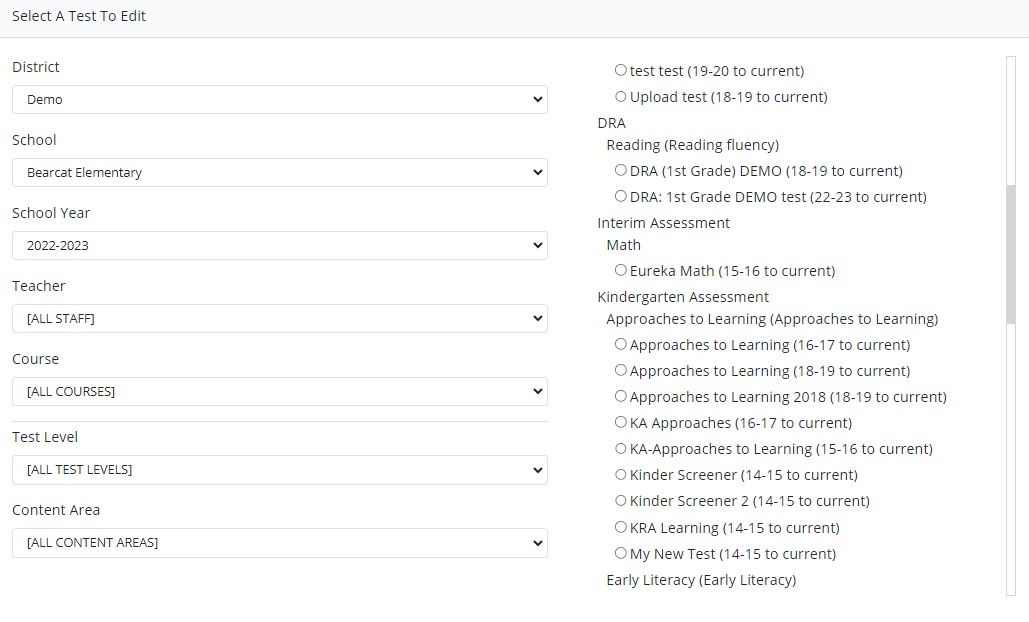
Select a Test to Edit
Once a test is selected you will have the option to delete the test.
Edit is available in the Basic Test Details, Test Availability, Category, Content Area and Strand, Offerings, Weight and Thresholds.
Update or Delete Scoring Traits-
Select “Update” once edits have been made. Select “Delete” to delete a scoring trait.
Note: Once any edit has been made on a single trait be sure to select “Update”, before making changes to the next trait.
Adding New Traits
Select “+Add a Trait” to add
Update or Delete Scoring Totals-
Select “Update” once edits have been made. Select “Delete” to delete a scoring total.
Note: Once any edit has been made on a single trait be sure to select “Update”, before making changes to the next total.
Adding New Total
Select “+Add a Total” to add
Save Test
Click “Save” to save the test or cancel to remove any changes made to the test.